Can A Tv Stand Hold A Large Tv?
Finding the right TV stand is more important than many people realize. The stand must safely support the size and weight of your TV, match your room style, and give you peace of mind. But as TVs get larger and thinner, the question comes up often: Can a TV stand hold a large TV?
This is not just a matter of fitting the TV on the stand. The wrong stand can be a safety risk, damage your television, or even cause injury if it tips over. In this article, you’ll learn exactly what matters when choosing a TV stand for a large TV, how to avoid common mistakes, and what to look for in materials, measurements, weight limits, and designs.
You’ll also see practical examples, useful tips, and answers to the most frequent questions.
Let’s get started and make sure your entertainment setup is both safe and stylish.
Understanding Large Tvs: What Counts As “large”?
The word “large” can mean different things to different people. In the TV world, a “large TV” usually means a screen size of 55 inches or more (measured diagonally). However, many households now have TVs that are 65, 75, or even 85 inches.
Besides screen size, you also need to consider TV weight. Large TVs can weigh anywhere from 35 pounds (16 kg) for modern LED models up to 100 pounds (45 kg) or more for older plasma screens or new high-end OLEDs.
Knowing your TV’s exact size and weight is the first step before shopping for a stand.
How Tv Stand Strength And Size Are Measured
Not all TV stands are created equal. Before deciding if a stand can hold your large TV, let’s look at two key factors:
- Weight Capacity: This is how much weight the stand can safely support. It’s usually listed in the product details.
- Maximum TV Size: Some stands mention the largest screen size they’re designed for, often because of their width or mounting system.
A common mistake is to focus only on the stand’s width. But a wide stand is not always a strong stand. Weight limit is more important than width.
Example
If you have a 75-inch TV that weighs 80 pounds, and the stand’s specs say “holds up to 70 inches and 90 lbs,” the screen will probably fit but might stick out on the sides. If the stand says “up to 65 inches and 70 lbs,” it’s not suitable—even if the TV physically fits.
Key Factors That Decide If A Tv Stand Can Hold A Large Tv
1. Stand Material And Build Quality
The type of material makes a big difference. Common materials include:
- Solid wood: Strongest and most durable. Handles heavy TVs well.
- Metal: Good strength, especially for modern stands.
- MDF or particleboard: Cheaper, but weaker. May sag over time with heavy TVs.
- Glass: Stylish, but risky for large, heavy TVs unless reinforced.
A stand’s build quality—how well it is put together, the thickness of shelves, and hardware—matters as much as the material. Thin or poorly built stands can fail even if the material is good.
2. Weight Distribution
A large TV puts more pressure on the stand, especially in the center. Stands with a solid base or reinforced middle support are better for big TVs. If the weight is not evenly distributed, the stand can bend or tip.
3. Tv And Stand Compatibility
Check these points:
- VESA mount compatibility: If using a stand with a mount, make sure the VESA pattern (the holes on the back of your TV) matches the mount.
- Stand width vs. TV base width: Your TV’s feet or base should fit comfortably on the stand, not hang over the edge.
- Cable management: Bigger TVs often have more cables. A good stand helps keep things neat and safe.
4. Room And Safety Considerations
A large TV on a small or weak stand is a tipping risk, especially with kids or pets around. The stand should be stable, ideally with a wide base and anti-tip features.
How To Check If Your Stand Is Suitable
Here’s a step-by-step way to check if a TV stand can safely hold your large TV:
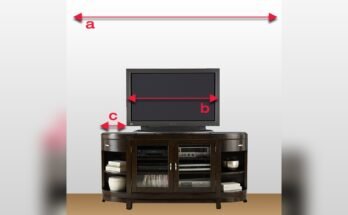
- Measure your TV’s weight and width (including the feet or base).
- Check the stand’s weight limit. It should be at least equal to, but preferably higher than, your TV’s weight.
- Compare widths. The stand should be wider than the distance between your TV’s feet.
- Inspect the stand’s material and build. Look for solid wood or metal for extra-large TVs.
- Check for wobble. Push gently on the stand in the store to see if it’s stable.
- Read reviews from people with similar-sized TVs.

Data Table: Example Tv Sizes And Stand Requirements
To make things clearer, here’s a quick comparison of common TV sizes, average weights, and the recommended stand strength:
| TV Size (inches) | Average Weight (lbs) | Minimum Stand Weight Limit (lbs) | Recommended Stand Width (inches) |
|---|---|---|---|
| 55 | 35-50 | 60 | 48-50 |
| 65 | 50-70 | 80 | 58-62 |
| 75 | 70-95 | 110 | 68-74 |
| 85 | 95-120 | 140 | 78-84 |
Tip: Always round up. If your TV weighs 80 lbs, get a stand rated for at least 100 lbs.
Common Mistakes When Choosing A Tv Stand For Large Tvs
Many buyers make avoidable mistakes that can damage their TV or risk safety.
1. Ignoring The Stand’s Weight Limit
A stand may look strong but may not be built for heavy TVs. Overloading can cause cracks, sagging, or collapse.
2. Choosing By Width Only
Matching the stand’s width to your TV is not enough. Some modern TVs have wide feet, so the stand must be wide enough for stability.
3. Using Weak Materials
MDF and glass stands are fine for smaller TVs, but not for heavy models. Over time, these materials can warp or even break.
4. Skipping Anti-tip Features
Large TVs are top-heavy. If the stand does not have anti-tip hardware or can’t be anchored to the wall, it’s a hazard—especially in homes with children.
5. Not Reading Reviews
Other buyers’ experiences often reveal problems that specs don’t show, like wobble or weak screws.
Types Of Tv Stands And Their Strengths
Let’s compare the main TV stand types for large TVs:
| Stand Type | Strengths | Weaknesses | Best for Large TVs? |
|---|---|---|---|
| Entertainment Center | High storage, strong structure | Bulky, expensive | Yes |
| Console Table | Stylish, open design | Often weaker, less stable | Sometimes |
| TV Cabinet | Closed storage, sturdy doors | Heavy, less airflow | Yes |
| Glass Stand | Modern look | Fragile, can shatter | No |
| Wall-Mounted Stand | Saves space, safest if installed well | Needs strong wall, professional install | Yes |
Non-obvious insight: Many people overlook the height of the stand. For large TVs, a low stand (16–20 inches high) gives better viewing comfort, especially if you sit far away.
What To Do If Your Current Stand Isn’t Strong Enough
If you realize your stand is not rated for your new large TV, don’t risk it. Here are safe options:
- Buy a new stand designed for large TVs. Look for solid wood or metal, and check specs.
- Wall-mount your TV. This removes stand limits but requires proper installation.
- Reinforce your current stand. Sometimes, adding a support board under the TV base can help, but this is a short-term fix.
- Use anti-tip straps. These attach your TV to the wall for extra safety.
Practical tip: Don’t try to “make do” with a weak stand by centering the TV or removing shelves underneath. The risk is not worth it.
Real-world Example: Upgrading To An 85-inch Tv
Suppose you upgrade from a 55-inch TV to a huge 85-inch model. Your old stand handled 50 lbs, but the new TV weighs 110 lbs and is 74 inches wide.
- The old stand is too light and too narrow.
- You need a new stand rated for at least 140 lbs, with a width of 78 inches or more.
- Choose a unit with central support and anti-tip hardware.
Hidden danger: With very large TVs, the center of gravity is higher. Even a sturdy stand can tip if bumped.
Table: Typical Stand Weight Limits By Material
To help you decide, here’s a rough guide to what different materials can handle:
| Material | Average Weight Limit (lbs) | Comments |
|---|---|---|
| Solid Wood | 100-200 | Best for large TVs, lasts decades |
| Metal Frame | 80-180 | Strong, but check welds and joints |
| MDF/Particleboard | 50-90 | Good for medium TVs, not for extra-large |
| Glass | 40-70 | Not recommended for large TVs |
How To Choose The Right Stand For Your Large Tv
Here’s a practical checklist to guide your decision:
- Know your TV’s exact specs: Check the manual or back of your TV for weight and width.
- Decide your style: Do you want open shelving, closed cabinets, or a floating look?
- Check material and build: Solid wood or metal is best for very large TVs.
- Look for added safety: Stands with anti-tip kits or wall anchors are safer.
- Measure your space: Make sure the stand fits your room and leaves enough space for cables and airflow.
- Think about storage: Large TVs often come with extra gear—soundbars, streaming boxes, game consoles.
- Read product reviews: See what owners of big TVs say about the stands you like.
- Buy from trusted brands: They’re more likely to give accurate weight limits and better customer service.
- Don’t forget assembly: Some large stands are heavy and hard to build alone.
Expert tip: If in doubt, choose a stand that supports at least 25% more than your TV’s weight. This gives you peace of mind and allows for upgrades.
Safety Tips For Large Tvs On Stands
Even the best stand can be dangerous if set up poorly. Here’s how to stay safe:
- Always use anti-tip straps. These are cheap and easy to install.
- Keep cords tidy. Loose cables can be a tripping hazard.
- Place heavy gear low. Put soundbars or game consoles on lower shelves for better stability.
- Don’t let TVs overhang. The TV’s feet must be fully supported.
- Avoid high-traffic areas. Don’t put the TV stand where people walk by often.
What To Do If Your Floor Isn’t Level
Many living rooms have slightly sloped or uneven floors. This is a hidden risk for large TVs. Use adjustable furniture pads or shims under the stand’s feet to level it. This small step can prevent wobbling and accidental tip-overs.
Should You Wall Mount Instead?
Wall mounting is the safest way to display very large TVs—if your wall is strong enough and you install the mount properly. Drywall alone is not enough for big TVs; you need to attach the mount to wall studs or use special anchors.
Wall mounting pros:
- Removes weight from stand
- Less risk of tipping
- Cleaner look
Cons:
- Harder to move TV later
- May require professional installation
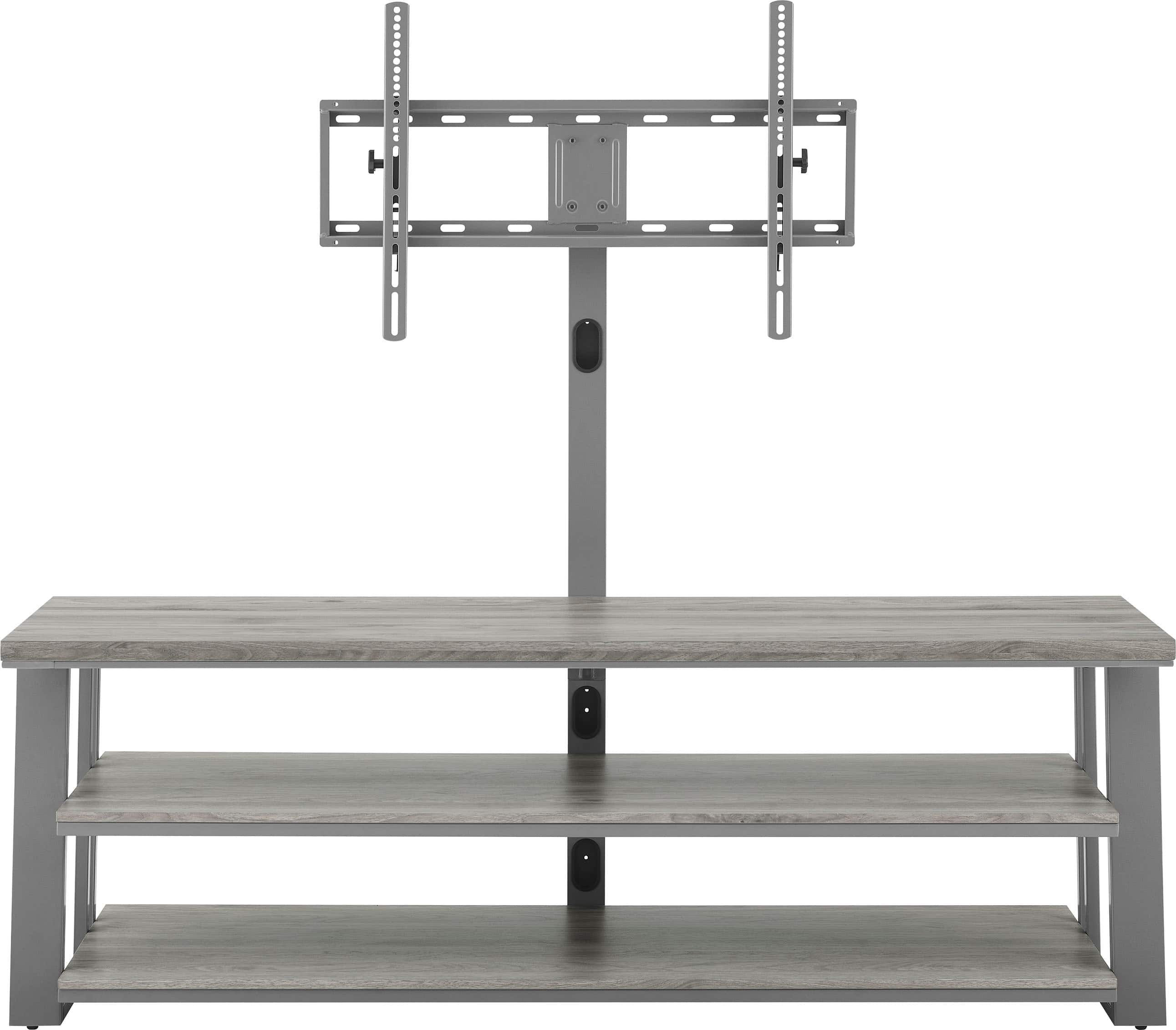
If you rent your home or don’t want to drill, look for stands with built-in mounts that still offer high weight limits.
Signs Your Stand Needs An Upgrade
Look out for these warning signs:
- The stand creaks or wobbles when you move the TV.
- Shelves bend in the middle.
- The TV’s feet are close to the edge.
- The stand is made of thin glass or MDF.
- You’ve upgraded to a much bigger or heavier TV.
Don’t wait for a failure. Upgrade before it’s too late.
Real-world Insights And Surprising Facts
Many people think only the TV’s weight matters. In fact, the center of gravity changes with bigger screens. A 75-inch TV that weighs 80 lbs is more likely to tip than a 55-inch TV of the same weight because the mass is higher and wider.
Another overlooked point: Heat from large TVs and electronics can weaken some materials over time, especially cheaper particleboards. This makes solid wood or metal even more important for long-term safety.
Where To Find Reliable Information
Always check the official specs for both your TV and the stand. Don’t trust just the product description—look for labels, manuals, or official websites. For more on furniture safety standards, see this US Consumer Product Safety Commission guide.
Frequently Asked Questions
How Do I Know If My Tv Stand Can Hold My Tv?
Check the stand’s weight limit and compare it to your TV’s weight. Make sure the TV’s feet fit on the stand, and that the stand is made from strong materials like solid wood or metal.
Can I Use A Glass Stand For A 75-inch Tv?
It’s not recommended. Most glass stands are rated for smaller TVs (under 55 inches). Large TVs can cause glass to crack or shatter over time.
What If My Tv Is Wider Than The Stand?
Never let your TV overhang the stand. The feet or base must be fully supported. If your TV is wider than the stand, buy a new, wider stand or wall-mount your TV.
Is Wall Mounting Always Safer Than A Stand?
Wall mounting is usually safer for large TVs, but only if the mount is attached to wall studs or strong anchors. If installed incorrectly, a wall mount can also fail.
Do I Need To Secure My Tv To The Wall If It’s On A Stand?
Yes, especially with large TVs. Anti-tip straps are cheap and easy to install and can prevent dangerous accidents.
A large TV is an investment. Take a few minutes to check your stand’s specs and safety features. The right stand not only keeps your TV secure but also protects your family and your home. Choose carefully, and enjoy your big-screen experience with complete peace of mind.