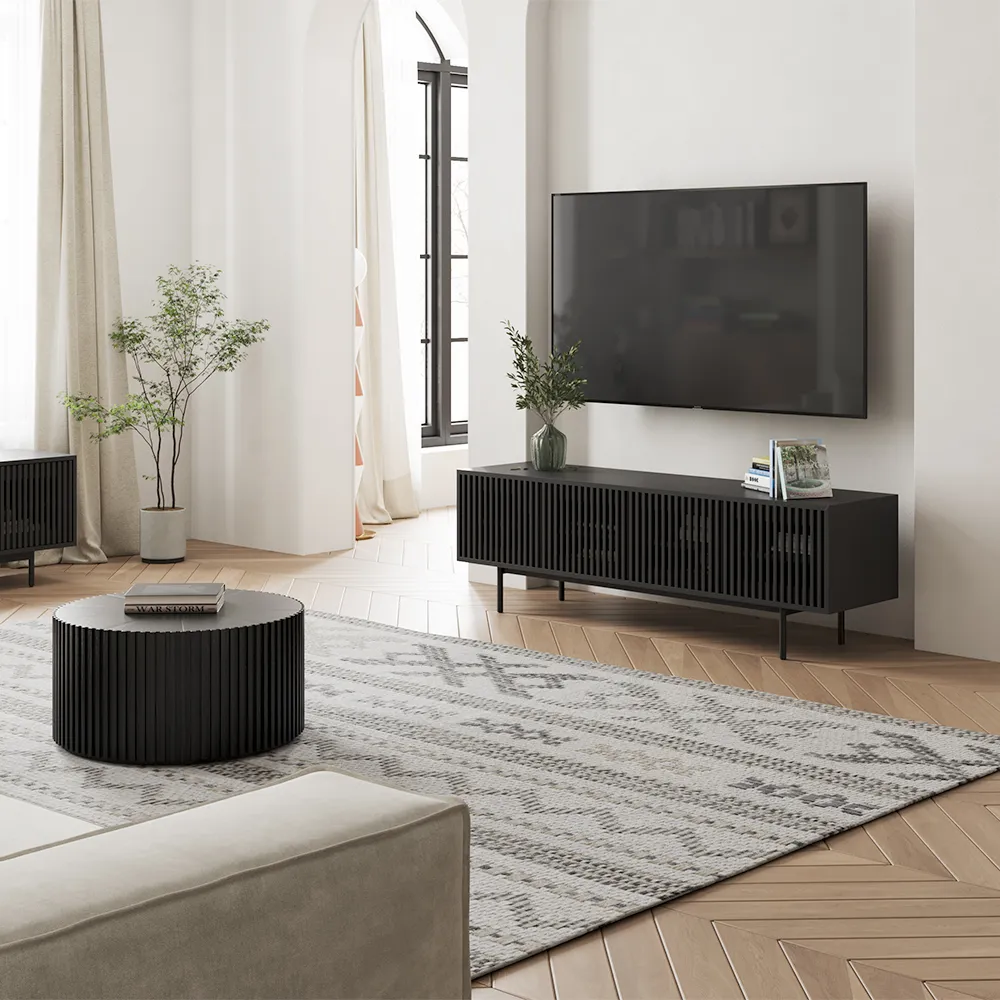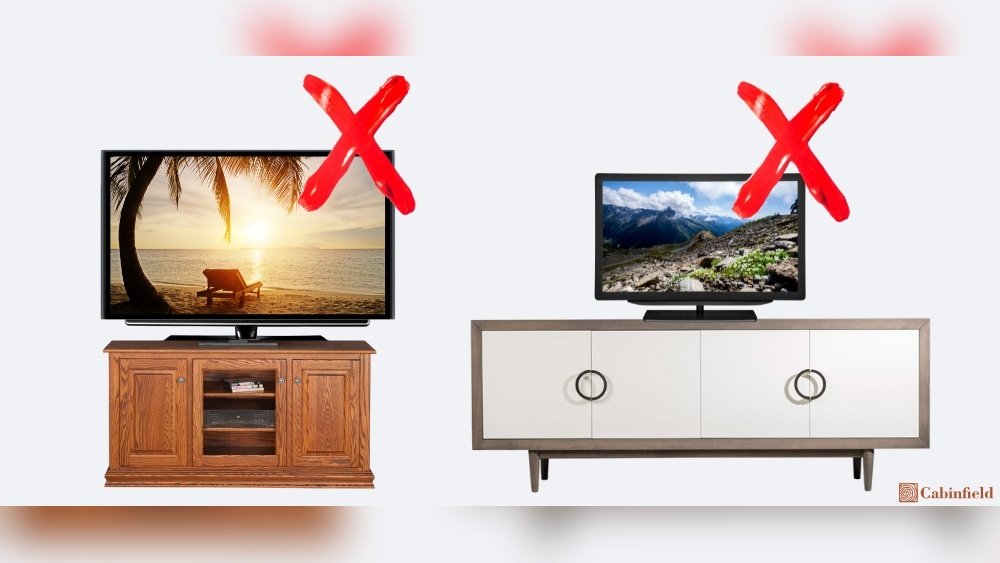
Finding the perfect TV stand can feel confusing, but it’s more important than most people think. The width of your TV stand is not just about looks—it’s about safety, comfort, and how you enjoy your shows or movies. If your stand is too small, your TV may look awkward or even be at risk of falling. If it’s too large, it could crowd your room. Whether you’re upgrading your home theater or just want a cozy spot for weekend movie nights, knowing how wide your TV stand should be is the first step to a setup you’ll love for years.
Why Tv Stand Width Matters
Choosing the correct width for your TV stand does more than make your living room look nice. Stability and safety come first. A stand that’s not wide enough can tip over, especially if you have kids or pets. The right width also helps your TV look balanced in the room, keeps cables tidy, and can provide extra storage for media players, gaming consoles, or books.
There’s also a viewing angle factor. When your TV is centered on a stand of the right width, everyone in the room gets a better view. A stand that matches your TV size can make your living space feel more organized and intentional.
How To Measure Your Tv And Stand
Before you start shopping, you need to know the real size of your TV and understand how that relates to the stand’s width.
Tv Size Vs. Tv Width
Many people think a “55-inch TV” is 55 inches wide, but that’s not true. TV sizes are measured diagonally from corner to corner, not across the width. This means the actual width is always less than the advertised size.
For example, a typical 55-inch TV is about 48 inches wide.
How To Measure Your Tv
- Use a tape measure.
- Measure straight across the front, from one edge to the other (not diagonally).
- Write down the width in inches or centimeters.
How To Measure A Tv Stand
- Measure the top surface where the TV will sit.
- Only the usable top width counts—ignore shelves or decorations below.
Knowing these numbers will help you match your TV with the right stand.
Recommended Tv Stand Widths By Tv Size
Let’s look at the most common TV sizes and the recommended stand widths.
| TV Size (Diagonal) | Average TV Width | Recommended Stand Width |
|---|---|---|
| 32 inch | 28 inches | 30-36 inches |
| 40 inch | 35 inches | 37-45 inches |
| 50 inch | 44 inches | 48-56 inches |
| 55 inch | 48 inches | 52-60 inches |
| 65 inch | 57 inches | 61-70 inches |
| 75 inch | 66 inches | 70-80 inches |
Pro tip: Choose a stand that’s at least 2-6 inches wider than your TV on both sides for best safety and looks.
Factors That Affect Tv Stand Width Choice
While TV size is the biggest factor, there are other things to consider:
1. Room Size And Layout
A large stand in a small room can overwhelm the space, while a small stand in a big room can look out of place. Measure your available wall space before buying.
2. Viewing Distance
The ideal viewing distance depends on your TV size. If the stand is too wide, you might have to sit further back, which could make your TV look smaller. The stand should fit the TV and the room’s viewing distance.
3. Stand Design And Shape
Some stands are rectangular, while others are corner units or have curved fronts. The shape can affect the usable width.
4. Storage Needs
If you have a lot of devices or want to store DVDs and games, a wider stand can offer more shelves or cabinets.
5. Tv Legs Or Center Pedestal
Check how your TV sits. Some TVs have legs at the very edge, while others have a center pedestal. Make sure the stand’s surface supports your TV’s feet or pedestal fully.
6. Wall Mounting
If you plan to wall-mount your TV, the stand’s width becomes less about supporting the TV and more about matching the style and providing storage.
How To Choose The Right Width For Your Needs
Choosing the right width is not just about the numbers—it’s about how you use your space and what you want from your setup.
Step 1: Measure Everything
- TV width
- Wall space available
- Depth of the TV (how far it sticks out)
- Clearance for cables
Step 2: Consider Function
- Do you need extra storage?
- Will speakers or soundbars sit on the stand?
- Is there room for decorations or photo frames?
Step 3: Think About Safety
- The stand should be wider than the TV to avoid tipping.
- For families with kids or pets, choose a wider, heavier stand for stability.
Step 4: Match Your Style
- Sleek, minimal stands look best with modern TVs and small spaces.
- Larger, classic stands can anchor a big room and provide lots of storage.
Example: Choosing For A 55-inch Tv
Suppose your TV’s width is 48 inches. You want a stand that’s at least 52-60 inches wide. If your room is small, go for the lower end. If you want to add a soundbar or speakers, choose a 60-inch stand.
Tv Stand Width For Different Room Types
The type of room you’re setting up can change what width works best. Here’s a breakdown for different spaces.
Living Room
Most people want a stand that’s at least as wide as the TV, with a few extra inches on each side. This gives a balanced look and space for extra devices.
Bedroom
Stands in bedrooms can be smaller, as TVs are often smaller here. However, avoid stands that are narrower than the TV—it looks awkward and can be unsafe.
Home Theater
For a dedicated theater room, choose a wide, solid stand that can hold not just your TV, but also speakers, receivers, and media players. You might need a stand up to 80 inches wide for very large TVs.
Small Apartments
Look for stands that combine storage with a compact width. A wall-mounted TV with a narrow stand below can save space.
Kids’ Rooms
Safety is key. Choose a wide, sturdy stand and secure the TV with anti-tip straps.
Common Mistakes When Choosing Tv Stand Width
Many people make simple mistakes that can ruin their home entertainment experience. Here are the most common ones—and how to avoid them.
- Choosing a stand that’s too narrow. This is unsafe and makes the setup look unbalanced.
- Ignoring the TV’s actual width. Always measure straight across, not diagonally.
- Forgetting about wall space. A stand that fits your TV might not fit your wall.
- Not planning for future upgrades. If you might buy a bigger TV soon, pick a wider stand now.
- Overcrowding the stand. Too many devices or decorations can make it look messy.
- Underestimating cable needs. Make sure there’s enough space behind or under the stand for cables.
- Ignoring room flow. A stand that sticks out can block walkways or doors.
- Skipping safety checks. Always check weight limits and secure the TV if needed.
Tv Stand Width And Soundbars
Soundbars are popular for better audio quality. If you use a soundbar, make sure your stand is wide enough to hold both the TV and the soundbar comfortably. Ideally, the soundbar should sit just below the TV without sticking out from the sides.
Matching Tv Stand Width To Decor Style
A well-chosen stand can make your room look more inviting and stylish. Here are some ideas:
- Modern: Choose a stand that’s just slightly wider than your TV, with clean lines and open shelving.
- Traditional: Go for a wider, solid wood stand with cabinets.
- Scandinavian: Pick a stand with a simple design, often a little wider for extra balance.
- Industrial: Metal and wood stands often look best a bit wider than your TV, with room for accessories.
Decor experts often say the stand should be at least 1/3 wider than the TV for the best look.
Tv Stand Width For Corner Units
Corner stands are special. They often look smaller but can actually hold large TVs. Measure the front edge—this is the width that matters for your TV. Always make sure the TV’s feet or pedestal can fit on the stand’s top surface.
Data: Tv Stand Width Vs. Room Size
To make things easier, here’s a quick comparison of recommended stand widths for different room sizes and TV sizes.
| Room Size | TV Size | Recommended Stand Width |
|---|---|---|
| Small (10×10 ft) | 32-40 inch | 30-45 inches |
| Medium (12×16 ft) | 50-65 inch | 48-70 inches |
| Large (15×20 ft+) | 75 inch+ | 70-80+ inches |
Safety Tips For Tv Stand And Tv Placement
Making your TV area safe is critical, especially if you have kids or pets.
- Always use a stand that’s wider than your TV.
- Choose a stand with a low center of gravity.
- Use anti-tip straps to secure the TV to the stand or wall.
- Avoid placing heavy objects on the sides of the stand.
- Never let the TV’s feet hang over the edge of the stand.
What If Your Tv Stand Is Too Narrow?
If you’ve already bought a stand that’s too small, you have a few options:
- Wall-mount the TV above the stand, and use the stand for storage.
- Replace the stand with a wider model.
- Add anti-tip straps for extra safety, but remember, a wider stand is always better for stability.
How To Upgrade Your Tv Stand
When you’re ready to upgrade, think about future needs. Will you get a bigger TV soon? Do you want more storage? Look for stands that have adjustable shelves, cable management holes, and sturdy construction.
Two non-obvious insights:
First, always check if your TV stand allows airflow behind electronics. Overheating shortens device life. Second, consider the height of the stand as well as the width. The center of your TV should be at eye level when you’re seated for the best experience.
Many people focus only on width and forget height, which can cause neck strain during long movie nights.
Popular Tv Stand Widths: What’s Available In Stores?
Retail stores and online shops usually stock TV stands in these common widths:
- 40 inches
- 48 inches
- 55 inches
- 60 inches
- 70 inches
- 80 inches
Most brands design their stands to fit the most popular TV sizes. When shopping, look for stands that are at least a few inches wider than your TV for the best fit.
Materials And Their Impact On Width Choices
The material of your TV stand can affect how wide you need it to be:
- Solid wood stands are heavy and sturdy, so a slightly smaller stand may be stable enough.
- Metal and glass stands can look lighter, but be sure they’re strong enough for your TV’s weight.
- Particleboard or MDF stands are lighter, but always check weight limits.

Tv Stand Width For Wall-mounted Tvs
If you plan to wall-mount your TV, the width of your stand becomes less about TV support and more about aesthetics and storage. Many people choose a wide stand under a wall-mounted TV to create a balanced look and provide space for electronics.
How To Check Weight And Width Limits
Every TV stand has a weight and width limit. Never put a TV on a stand that can’t handle its size or weight. Most stands list these limits in their product details.
If you’re unsure, check the manufacturer’s website or ask the store for help. For more on TV furniture standards, you can visit the Wikipedia page on TV stands.
Tv Stand Width For Multiple Tvs Or Monitors
If you want to use two TVs or a TV and a monitor on one stand, add their widths together and choose a stand that’s at least a few inches wider on each side. Make sure there’s enough space for each screen’s feet or pedestal.
How Designers Choose Tv Stand Width
Professional designers often use these rules:
- The stand should be at least as wide as the TV, but not more than double the TV width.
- If in doubt, go slightly wider rather than too narrow.
- For a luxury look, pick a stand that’s 1/3 wider than the TV on each side.
Maintenance And Care For Your Tv Stand
To keep your stand looking good and working well:
- Dust it regularly.
- Check for loose screws or wobbling.
- Don’t overload shelves.
- Use coasters under drinks to avoid stains.
- Keep electronics cool by allowing airflow.
Frequently Asked Questions
What Happens If My Tv Stand Is Narrower Than My Tv?
If your stand is narrower than your TV, it can look awkward and may be unsafe. The TV’s feet could hang off the sides, making it easier to tip over. It’s always better to have a stand that’s at least as wide as your TV, or ideally a few inches wider.
How Much Wider Should A Tv Stand Be Than The Tv?
A good rule is to choose a stand that’s 2 to 6 inches wider than your TV on each side. For example, if your TV is 48 inches wide, look for a stand that’s at least 52-60 inches wide. This gives your setup a balanced look and improves stability.
Can I Use A Tv Stand For A Wall-mounted Tv?
Yes, you can use a TV stand under a wall-mounted TV for storage and design balance. The stand does not need to support the TV’s weight, but it should be wide enough to look good and hold other devices like soundbars or game consoles.
Is It Safe To Put A Bigger Tv On A Smaller Stand?
It’s not recommended. Placing a large TV on a narrow stand is risky. The TV can tip over, especially if bumped. It’s always safer to match or exceed the TV’s width with your stand, and use anti-tip devices if needed.
What If My Tv Stand Is Much Wider Than My Tv?
A much wider stand than your TV is usually fine and can even look stylish, especially in large rooms. It gives you more space for decorations, speakers, and storage. Just make sure it doesn’t overpower your room or block walkways.
Choosing the right TV stand width is about more than just numbers. It’s about safety, style, and making your home a comfortable place to relax. With these tips, you can find the perfect stand for your space and enjoy your favorite shows the way they were meant to be seen.